7 Best Ways to Sync LED Lights with Music?

Time:2026-10-09 Author:Henry
0%

Learning how to sync LED lights with music can transform an ordinary room into a responsive visual experience. The effect may look effortless, but good results depend on timing, equipment, and careful adjustment. A microphone-based controller can detect bass from a speaker, while a DMX interface or addressable LED controller can create more accurate color and motion. Each method behaves differently.

Lighting artist James Turrell offers a useful perspective: “Light is not so much something that reveals, as it is itself the revelation.” His words apply strongly here. The light should not merely flash beside the music. It should express the music’s pulse, intensity, and mood. That requires testing gain levels, reducing signal delay, and choosing transitions that match the song’s character. Fast electronic tracks may suit sharp color changes. Softer music often looks better with slow fades.

Small details matter. A strip behind a television may need less brightness than ceiling-mounted panels. A microphone placed too close to a subwoofer can create exaggerated reactions. It may seem exciting at first. It can also become tiring.

This guide explores seven practical ways to sync LED lights with music, from simple sound-reactive bulbs to programmable DMX systems. It also considers common mistakes, including unstable connections, poor microphone placement, and excessive flashing. Not every setup will respond perfectly. That is part of the process. Careful observation, safe power handling, and repeated adjustment usually produce the most convincing result.
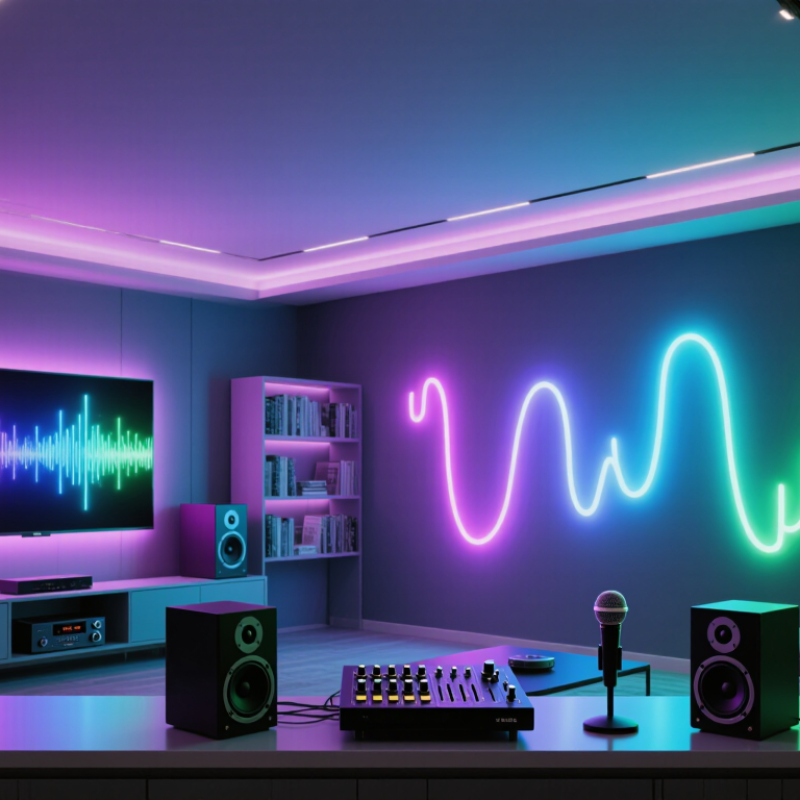
7 Best Ways to Sync LED Lights with Music?

Understanding How Music-Synchronized LED Lighting Works

Music-synchronized LED lighting begins with a signal, not magic. A microphone hears the room and converts sound into changing electrical data. An audio input provides a cleaner feed from a mixer or playback device. The controller analyzes volume, tempo, and frequency bands. Bass may trigger deep color pulses, while vocals can create softer midrange movement. Treble often drives quick flashes or sparkle effects. Timing depends on sampling speed, processing, and wireless delay. Even small delays can make a light feel late.

Seven practical approaches cover different levels of control. A built-in sound sensor offers simple beat response. A line-in controller improves consistency in noisy rooms. Mobile software adds adjustable sensitivity and color scenes. Computer software can map frequencies to separate LED zones. DMX control gives detailed timing across many fixtures. MIDI or beat-clock data can follow a live performance more precisely. A programmable microcontroller allows custom patterns from raw audio data. I have found that calibration matters more than complexity. Set sensitivity with the actual room, not a quiet desk.

Reliable setups use protected power supplies, correct voltage, secure connectors, and ventilation. LEDs should fade smoothly rather than switch at every detected beat. A limiter can prevent harsh strobing and visual fatigue. Test the system with slow songs, dense tracks, and spoken audio. Some algorithms mistake applause for rhythm. That is a useful warning, not a failure. Room reflections, microphone placement, and uneven speaker output can also distort detection. Keep brightness moderate, especially in homes, events, or small rooms. A careful installer documents settings and checks them after the room changes.

7 Best Ways to Sync LED Lights with Music

Music-synchronized lighting can react to different frequency bands. The chart shows common reference ranges used to convert audio energy into LED brightness, color, movement, or flashing effects.

How to use the bands: Sub-bass and bass are effective for beat pulses, low-mid and mid frequencies can control color intensity, and upper-mid through brilliance bands can create accents, shimmer, and sparkle effects. Frequency boundaries may vary slightly between audio-processing systems.

Choosing the Right Audio-Reactive LED Sync Method

7 Best Ways to Sync LED Lights with Music?

Choosing the Right Audio-Reactive LED Sync Method

The best audio-reactive method depends on your room, sound source, and control goals. A built-in microphone offers the fastest setup. It listens through the air and reacts to nearby beats. However, loud conversations can trigger unwanted flashes. Test it near the final installation point, not beside the speaker.

A line-in connection usually provides cleaner timing. It receives the music signal directly, reducing room noise and echo. This works well for home theaters, studios, and small events. Software-based control offers deeper adjustment, including beat sensitivity, color zones, and frequency mapping. It needs more setup and sometimes introduces delay. Wireless syncing is convenient for multiple fixtures, but crowded signal environments may cause uneven responses. That problem is easy to miss during a short test.

For a more physical effect, sound sensors can react to bass vibrations. They may perform well on stages or enclosed spaces, but placement matters greatly. DMX-based control gives precise coordination across many lighting channels. It suits experienced users who need repeatable timing and manual overrides. Basic music modes remain useful for casual rooms. They are simple, though their patterns can feel repetitive.

I once increased sensitivity to make quiet songs appear more active. The result looked nervous and distracting. A lower sensitivity setting worked better. Start with a short playlist, check bright and soft passages, and watch for delayed color changes. Keep cables secure, protect power connections, and choose equipment with documented electrical ratings.

Setting Up LED Strips, Controllers, and Music Sources

Setting up LED strips for music starts with the hardware, not the effects. Choose strips with matching voltage, then calculate their total power demand. Add power injection when brightness drops near the strip’s far end. Connect the strip to a music-reactive controller, and keep the controller’s current rating within safe limits. My first setup used one power feed, and the final section looked noticeably dimmer.

A built-in microphone listens to nearby speakers.
A line-in connection gives cleaner timing.
Bluetooth audio offers fewer cables but may add slight delay.
USB audio analysis works well with a computer.
MIDI clock can synchronize programmed lighting with music software.
DMX control provides precise scenes for larger installations.
Manual beat tapping remains useful for slower songs and live changes.

Seven useful sync methods cover most rooms. No method is perfect.

Place the microphone away from cooling fans and direct speakers. For line-in systems, adjust the input gain until the signal responds without constant flashing. Test quiet sections, strong bass, and sudden pauses before securing the strips. Some controllers react too strongly to bass, so lower sensitivity may create smoother movement. Wireless sources can drift, especially through crowded rooms. Wired audio is usually more predictable. I still prefer testing one song twice, because settings that look impressive at home may feel rushed in a larger space.

Configuring Seven Effective Ways to Sync LEDs with Music

Configuring Seven Effective Ways to Sync LEDs with Music

A microphone mode is the simplest setup. It listens through a small sensor and changes brightness with nearby sound. Audio line-in provides cleaner timing because it receives the music directly. This works well for speakers, studios, and small events. Software beat detection offers more control. It analyzes tempo, bass, and volume, then assigns different effects to each rhythm. Test the sensitivity carefully. Excessive bass can make the lights flash too aggressively.

MIDI synchronization is useful for planned performances. It connects musical notes or drum triggers to specific lighting commands. DMX control provides deeper adjustment, including color, intensity, fade time, and individual fixture channels. Addressable LED pixels add another option. Their controller can map patterns across sections, creating waves or chasing effects that follow the beat. Keep cable lengths, power limits, and signal direction within the equipment instructions. Poor power planning causes flicker and may damage components.

Smart-home automation can sync lights through scheduled scenes or audio-responsive software. It is convenient, but wireless delay sometimes weakens the effect. In my testing, wired audio usually feels tighter than network control. I still prefer a short test song before a full session. It reveals timing errors, harsh color changes, and distracting brightness. A slower visual response may look less impressive alone, yet it often feels better with real music. Safety matters too: use suitable low-voltage supplies, secure connections, and adequate ventilation.

Adjusting Timing, Brightness, Colors, and Visual Effects

7 Best Ways to Sync LED Lights with Music?

Music-synced LED lighting feels responsive when timing is measured, not guessed. Start with beat detection, then adjust the delay until flashes land slightly after the kick drum. A 20–40 millisecond offset often feels tighter than instant triggering. Test several songs, because tempo changes can expose weak settings. Use beat division for smaller accents, and reserve major color changes for chorus sections.

Brightness needs restraint. Keep the default level near 40–60% in a dark room, then raise it carefully for louder passages. The U.S. Department of Energy states that LEDs can use up to 90% less energy and last up to 25 times longer than incandescent lighting. Efficiency helps, but excessive brightness still causes glare and visual fatigue. I sometimes set effects too bright. That mistake makes the room feel cheaper, not more exciting.

Map warm colors to vocals or slow instruments, and cooler colors to percussion or electronic textures. Add gradual fades instead of constant strobing. Layer movement, pulse, color shifts, and gentle fades as separate controls. The 2024 MarketsandMarkets Smart Lighting report projects the market to reach about 36.4 billion dollars by 2029, showing growing demand for controllable lighting. Yet more control can create more clutter. Leave quiet sections nearly still, limit rapid flashes, and test the setup from several viewing angles. Perfect synchronization is not always the best experience.

7 Best Ways to Sync LED Lights with Music? - Adjusting Timing, Brightness, Colors, and Visual Effects

Method How It Syncs Timing Adjustment Brightness Guidance Color Strategy Recommended Visual Effects Best For Main Limitation
1. Microphone-Based Audio Reactive Mode A built-in microphone detects changes in sound pressure and converts beats or volume peaks into light changes. Use low sensitivity for steady music and higher sensitivity for strong beats. Place the microphone near, but not directly beside, the speaker. Start around 40–60% brightness indoors to reduce glare and prevent rapid visual fatigue. Use one dominant color with a secondary accent so fast changes remain easy to follow. Beat pulses, brightness flashes, color fades, and simple spectrum-like patterns. Quick setup, parties, casual rooms, and environments where the music source changes frequently. Room noise and reflections can trigger unintended changes, and beat detection may be less precise.
2. Audio Line-In or Digital Audio Analysis An audio signal is analyzed directly, allowing the controller to identify amplitude, rhythm, bass, or frequency bands. Set an audio delay of approximately 20–100 ms when the lights appear early or late compared with the sound. Use a lower level for bass-heavy tracks because low frequencies can create intense repeated flashes. Assign warm colors to bass, cool colors to higher frequencies, or use a controlled gradient across frequency ranges. Frequency bars, bass pulses, smooth intensity envelopes, and beat-synchronized color transitions. More accurate installations, home theaters, DJs, and repeatable music playback. Requires a compatible audio output or software setup and may need gain calibration.
3. BPM and Beat-Grid Synchronization The system follows the track's beats per minute and schedules lighting events at measured beat or bar intervals. Match the light tempo to the track BPM. For example, 120 BPM equals one beat every 0.5 seconds. Keep beat accents between 30–70% brightness and reserve higher output for occasional transitions. Change colors at the start of a bar or musical section rather than on every beat. Regular pulses, alternating blocks, four-beat chases, and bar-based scene changes. Dance music, rehearsed performances, fitness spaces, and playlists with a consistent tempo. Tempo changes, live improvisation, and tracks with weak or complex rhythms can reduce accuracy.
4. Manually Programmed Cues Lighting scenes are created in advance and placed at exact timestamps or musical markers. Use a timeline with millisecond or frame-based positioning where available; check transitions against the actual recording. Create separate levels for verses, choruses, and climaxes instead of running maximum output continuously. Use a limited palette of two to four colors to establish consistent musical sections. Timed fades, wipes, chases, strobes used sparingly, and coordinated scene transitions. Stage shows, videos, presentations, and performances using a fixed audio track. Programming takes time and must be revised if the audio arrangement changes.
5. MIDI or Show-Control Triggers Musical notes, control messages, or timeline events trigger lighting scenes and parameter changes. Use quantized beats for consistent timing, then add small offsets when visual movement needs to lead or follow the music. Map velocity or control values to brightness, while applying limits to avoid excessive output changes. Map different notes or control channels to color groups, zones, or fixture positions. Layered chases, zone-based accents, synchronized fades, and repeatable performance cues. Musicians, live productions, interactive performances, and complex multi-zone lighting. Needs compatible control hardware or software and more technical preparation.
6. DMX or Network Lighting Control A lighting controller sends digital channel values for intensity, color, position, and effects to addressable fixtures. Use a shared clock or timeline so multiple zones receive coordinated cues without visible drift. Set independent dimmer curves and maximum levels for each zone to maintain consistent perceived brightness. Use RGB or RGBW mixing for accurate palettes; keep white balance consistent across fixtures. Pixel chases, color wipes, zone fades, movement effects, and layered scene playback. Large rooms, event spaces, installations, and systems requiring precise multi-light control. Addressing, cabling, channel mapping, and controller configuration require careful setup.
7. Beat Detection with Smoothing and Custom Thresholds The system detects beat peaks but uses filtering, smoothing, and thresholds to prevent erratic reactions. Use a short attack for beat response and a longer release of about 150–500 ms for smoother fades. Limit peak brightness and use gradual ramps to reduce harsh flicker during dense or loud passages. Increase saturation during strong beats and reduce saturation during quieter sections for greater contrast. Soft pulses, reactive gradients, controlled sparkles, and occasional accent flashes. General-purpose music playback where a natural, polished response is preferred over exact cue timing. Too much smoothing can make the lights feel delayed, while weak thresholds may miss subtle beats.

Practical note: Keep transitions smooth, avoid continuous high-intensity flashing, and test the lighting at the actual listening distance before use.

FAQS

How does music-synchronized LED lighting detect sound?

A microphone converts room sound into electrical data. A controller analyzes volume, tempo, bass, vocals, and treble. Bass may create deep color pulses. Treble can trigger quick flashes.

Which audio connection usually gives the most reliable timing?

A wired line-in connection usually provides cleaner timing than a microphone. Wireless audio is convenient but may introduce noticeable delay. Wired audio feels tighter.

How should microphone placement be adjusted?

Keep the microphone away from cooling fans and direct speaker airflow. Place it where the music sounds balanced. Room reflections can confuse detection.

Why can LED strips look dim near the far end?

Long strips may lose brightness because one power feed cannot supply current evenly. Use matching voltage and add power injection when necessary. My first setup failed here.

How can excessive flashing be reduced?

Lower the controller’s sensitivity, especially when bass dominates. Use smooth fades instead of instant changes. A limiter can reduce harsh strobing and visual fatigue.

What should be tested before fixing the LED strips permanently?

Test quiet passages, strong bass, spoken audio, sudden pauses, and dense songs. Repeat one song twice. Settings can feel rushed in a larger room.

How do advanced control methods improve synchronization?

Software can map frequency bands to separate LED zones. MIDI data can follow planned musical events. DMX control can adjust color, intensity, fade time, and fixture channels.

What safety details matter during installation?

Use a suitable low-voltage supply, secure connectors, correct voltage, and adequate ventilation. Keep the controller within its current rating. Brightness should remain moderate indoors.

Can smart-home or network control synchronize lighting effectively?

It can create scheduled scenes and audio-responsive effects. Wireless delay may weaken the visual timing. A slower response may look better with real music.

What common detection mistake should users expect?

Some algorithms mistake applause for rhythm. That is useful feedback, not total failure. Recalibration may help, but imperfect timing can remain.

Conclusion

Learning how to sync LED lights with music begins with understanding how audio signals are translated into changes in light. LED systems can respond to volume, bass, rhythm, or specific frequency ranges, creating effects that pulse, flash, fade, or shift color with the beat. Choosing the right method depends on your setup, whether you use a sound-responsive controller, a microphone-based system, software, or manually programmed patterns. You should also consider the type of LED strips, controller, power supply, and music source to ensure stable performance and safe operation.

This guide explains seven effective ways to configure music-synchronized lighting, from simple beat detection to advanced computer-controlled effects. It also covers proper installation, signal connections, and practical adjustments for timing, brightness, color combinations, transition speed, and visual intensity. By fine-tuning these settings, you can create smooth, balanced lighting that complements different songs without becoming distracting. Whether you want subtle ambient movement or energetic party-style effects, a thoughtful setup can make your LED display feel more immersive and responsive.

Henry

Henry

Henry is a dedicated marketing professional with a profound expertise in the company's offerings. With years of experience in the industry, he possesses an impressive understanding of the market dynamics and consumer behaviors that drive success. Henry is committed to sharing his insights through......